The perception algorithm is the easy part. I spent one summer learning that on a Jetson Orin Nano, and the lesson is worth writing down: on a project like this, the clustering and the bounding boxes are a solved problem. The time goes into the seams, the places where a generated ROS 2 layer, a vendor board support package and a Flutter shell are supposed to meet and do not.
This was my Google Summer of Code 2026 project with Automotive Grade Linux, the Linux Foundation’s open software stack for production vehicles. The goal was a LiDAR perception demo that any AGL developer can build and run on real hardware from a single image: take a LiDAR point cloud, turn it into 3D object detections on the embedded target, and draw those detections in the vehicle’s Flutter human-machine interface. No live simulator, no GPU, no network. Something that just comes up.
What it does
A recorded CARLA clip replays the raw sensor streams. A PCL node on the Jetson turns the point cloud into detections in real time. The HMI subscribes over a rosbridge WebSocket and draws them. The whole flow is:
recorded CARLA clip (ros2 bag)
  -> /carla/lidar               sensor_msgs/PointCloud2
  -> lidar_detector (PCL)       voxel downsample, passthrough crop,
                                RANSAC ground removal, Euclidean clustering
  -> /carla/detections          vision_msgs/Detection3DArray   (~30 Hz)
  -> rosbridge WebSocket :9090
  -> Flutter HMI (app id agl_lidar_demo)
The detector is a classic PCL pipeline. What matters is where it runs: on the target, from the raw cloud, at about 30 hertz, not replayed from the bag. The boxes in the screenshots below were computed on the Jetson while the picture was taken.
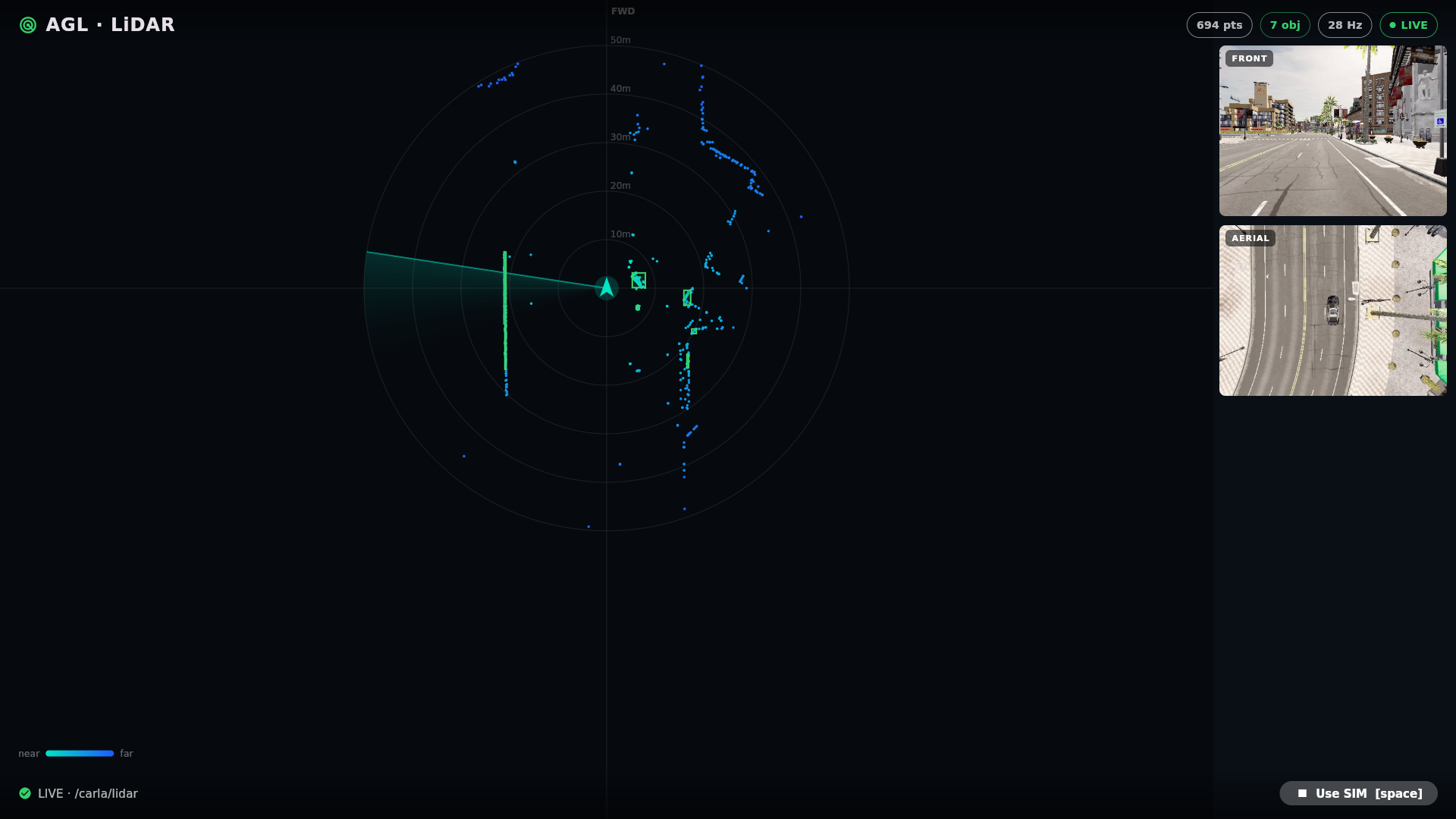
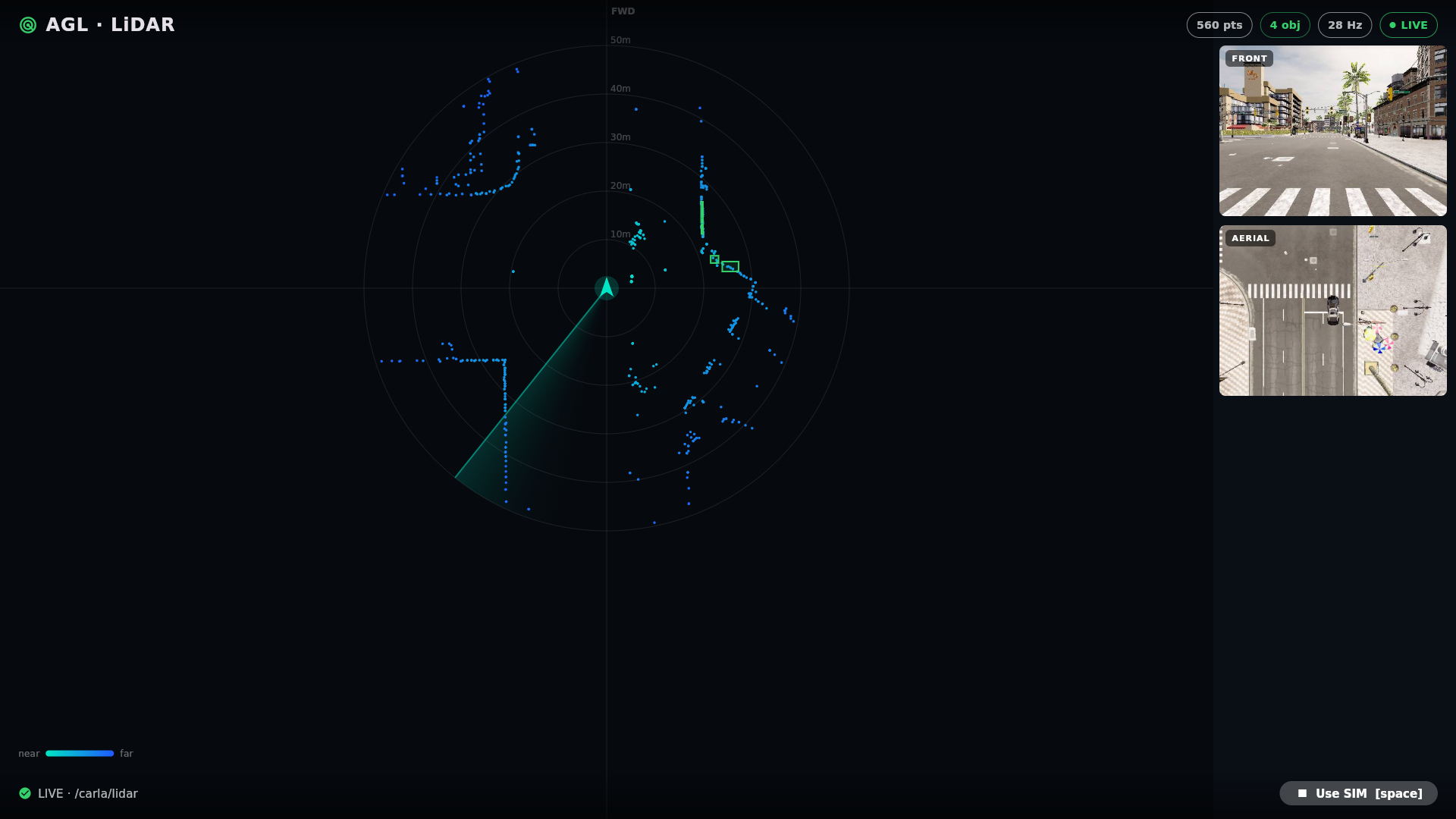
The top-down view colors points by distance and draws the 3D detections as boxes; the two insets are the front and aerial CARLA cameras, replayed for context. The badges in the corner (points, objects, hertz, LIVE) are driven by the on-target detector.
Reproducing it
The demo ships under the AGL agl-ros2 feature, on top of the Flutter IVI demo.
From the top of the AGL tree:
source meta-agl/scripts/aglsetup.sh \
    -m jetson-orin-nano-devkit-nvme -b build-jetson-ivi \
    agl-demo agl-flutter agl-ros2
bitbake agl-ivi-demo-flutter
Flash the image, boot, and the backend starts itself: a local rosbridge on port
9090, the lidar_detector node, and the bag replay, all under one systemd
service. Open the “AGL LiDAR Demo” tile, or launch it from a shell, and the view
comes up. To check the pipeline is live:
ros2 topic hz /carla/detections # expect ~30 HzThe parts that were actually hard
None of these are in the algorithm. All of them stopped the demo cold until they were found.
rosbag2’s Python bindings were built for the wrong architecture. On the
first on-target boot the backend crash-looped. ros2 bag play died with
No module named 'rosbag2_py._reader', even though the file was sitting right
there. The extension was a correct aarch64 binary, but meta-ros had named it
with the build host’s SOABI, ...x86_64..., so the target Python, which computes
an aarch64 SOABI, never matched it. The fix is a bbappend that renames the
extensions to the target architecture, keyed on the build and target arch so it
is a no-op on native builds.
An invalid SPDX license stopped the image build at 77 percent. Every
rosbridge-suite recipe declared LICENSE = "BSD", which is not a valid SPDX
identifier, so AGL’s license tooling refused it. Fixing rosbridge-server alone
was not enough; the image pulls in six more packages that each trip the same
error. The fix sets a valid BSD-3-Clause for all seven.
The display stack had two board-level surprises. The compositor’s hardware cursor path aborts on the Tegra DRM driver, so there is no visible pointer on the home screen on this build; you drive the demo through the shell activator instead. And the devkit has no RTC battery and no NTP client, so it boots at the year 1970, which makes the HMI’s TLS connection to the data broker fail with “certificate is not yet valid” until the clock is set. That one took a while to see, because nothing in the logs says “your clock is wrong,” it just says the certificate is from the future.
The through line: the most useful thing I shipped was not the detector. It was the handful of small, exact fixes that let the next person build the image on the first try.
What landed
All the work is public. Code went to AGL Gerrit; the HMI app lives in its own repository.
- Merged: the agl-lidar-demo application, the offline rosbag autostart, the lidar-detector recipe, and on-target detection.
- In review: the Jetson machine template and build unblock, plus four agl-ros2 integration fixes (packagegroup, layer dependency, SPDX, rosbag2-py SOABI).
- The HMI application: github.com/shauryarane05/agl-lidar-hmi-app.
Four changes merged, six in review. The last GSoC commit is the rosbag2-py fix.
What is next
Upstream review on the open changes; filing the Tegra cursor abort as a compositor issue; a small boot-time clock-sanity service so the 1970 problem never bites again; and, if there is time, extending the detector with tracking so objects keep a stable identity across frames.
Thank you to my mentors, Jan-Simon Moeller, Rob Woolley and Scott Murray, for the reviews and the hardware guidance through the long debugging, and to the AGL community for a welcoming, well-run project.